







- Quick Comparison: Find Your Builder
- #1. Square Online: Free Plan Forever
- #2. Hostinger: Free Trial, $3.99 Upgrade
- #3. Shopify: Free Trial, $1 Upgrade
- #4. WooCommerce: Free To Install, $6.45 Upgrade
- #5. Squarespace: Free Trial, $17.10 Upgrade
- #6. Wix: Free To Build, $26.10 Upgrade
- What Are the Hidden Costs of Using a Free Ecommerce Platform?
- How Do I Choose the Best Free Ecommerce Platform for My Business?
- How We Test Free Ecommerce Website Builders
- Final Thoughts: Can You Really Sell Online for Free?
- Best Free Ecommerce Platforms: FAQs
Square Online is the best free ecommerce platform because it is the only builder that allows you to sell unlimited products without a monthly subscription fee. We spent over 300 hours assessing the performance and pricing plans of 12 leading ecommerce website builders, and have shortlisted the best free options for your online store.
From free plans to free trials, I’ve highlighted what you can get without spending a cent, as well as the unavoidable charges you’ll still have to pay, such as processing fees.
- Square Online is the only builder that lets you sell products on its free plan, but you’ll still need to pay a 3.3% + $0.30 transaction fee per order, and your sales tools are limited
- Apart from WooCommerce, all platforms include an AI website builder, which makes building an online store easy for beginners
- Following a free plan or free trial window, upgrade costs range from $1 to $26.10 per month (these are introductory deals, so prices will increase eventually)
- We recommend upgrading from a free plan as soon as possible to remove provider ads and unlock essential sales tools, such as abandoned cart recovery
- You’ll need to consider additional costs, depending on your chosen platform, such as domain names, hosting, and transaction fees
I’ve updated this page to reflect the latest features and pricing for each ecommerce platform. To help readers understand the costs involved when building online stores, I’ve made sure to add more mentions of transaction fees and hidden costs (like custom domain names, hosting, and templates).
Quick Comparison: Find Your Builder
Need to see the providers side-by-side? Look through our helpful comparison table:
|
Starting price
|
Transaction fees
|
Free plan or free trial
|
Free custom domain
|
AI website builder
|
Payment gateways
|
Recommended for
|
||
|---|---|---|---|---|---|---|---|---|
|
Best Free Plan
 |
Best Upgrade Cost
 |
Best Sales Features
 |
Best Advanced Customization
 |
Best for Selling Services
 |
Best Free To Build
 |
|||
|
Square Online |
Hostinger |
Shopify |
WooCommerce |
Squarespace |
Wix |
|||
|
|
||||||||
|
2.9% + $0.30 |
0% |
2.9% + $0.30 |
2.9% + $0.30 (+1.50% for non-US customers) |
0% – 2% |
2.9% + $0.30 |
|||
|
Free plan |
7-day free trial |
3-day free trial |
Free to install |
14-day free trial |
Free plan |
|||
|
|
|
|
|
|
|
|||
|
|
|
|
|
|
|
|||
|
1 |
100+ |
100+ |
43 |
6 |
80+ |
|||
|
Businesses in the food industry and brands on a budget |
Beginners and budget-conscious businesses |
Businesses who want to easily scale their store as they grow |
Businesses that want more control over their store |
Creatives and service-based businesses |
Businesses promoting their online presence |
The only builder that will allow you to actually sell online for free is Square Online. The other builders on this list will give you some kind of free access, but to sell your products or services and reach a provider’s true ecommerce potential, you’ll need to pay to unlock better sales tools.
To accurately review Squarespace, we conducted over 300 hours of in-house research. Our methodology tested Squarespace and other top website builders against seven key areas, including pricing, design features, and website functionality.
A processing fee is a per transaction charge from a payment gateway, whereas a transaction fee is an additional charge from the website builder. While you’ll always have to pay a processing fee for each payment you accept, the transaction fee is discretionary and some builders waive it entirely, or on certain subscription tiers.
#1. Square Online: Free Plan Forever
- Price to sell online: $0
- Recommended for: New entrepreneurs and physical businesses
- Read our full Square Online review for more information
Square Online is the only platform on this list that allows you to sell products for free without a monthly subscription, with its only cost being a 3.3% +$0.30 per-transaction processing fee. This pay-as-you-go model is a major advantage for casual or low-volume sellers on a budget.
The only costs you need to prepare for as a business are Square Online’s processing fees. Upgrading to Square Plus or Square Premium reduces the per-order processing fee from 3.3% + $0.30 to 2.9% + $0.30.
Free Plan Limitations
While you can sell products with Square Online’s free plan, it does have some limitations:
- Footer ad on your website
- Limited website functionality
- Basic customization
- No custom domain
- Lacks basic sales features, including product reviews
- Sell unlimited products on free plan
- POS integrations
- Great for testing new business ideas
- Chat, email, and phone support
- Online processing fees more expensive on free plan (3.3% + $0.30)
- Domain name not included
- Customization is limited
- Ads on free website
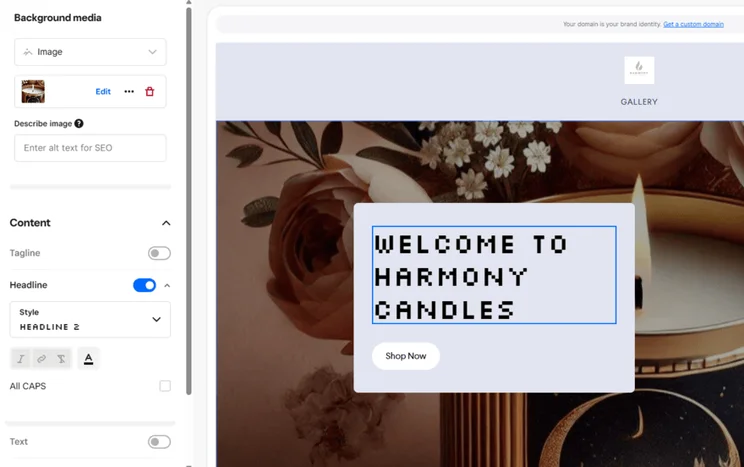
Should You Use Square Online?
Square Online is a great option for small businesses on a budget and physical retailers who need to sync online and offline inventory. Its design tools are quite basic to use, but Square Online keeps its focus on selling.
While its free plan has its drawbacks and limited scalability, you can use Square’s POS (point of sale) integrations to sync your online and offline sales. This makes it easy to track all of your payments in one place, but, of course, you’ll need to pay for POS hardware. The standard Square Terminal costs $299.
I’d recommend using Square Online’s free plan to build your online store and test the waters with selling online, especially if it’s a new practice for you.
However, it’s best to upgrade to a premium plan as soon as possible to remove ads from your site and unlock advanced sales tools, like QR code ordering. Square Online’s pricing ranges from $49 to $149 per month (billed annually).

#2. Hostinger: Free Trial, $3.99 Upgrade
- Price to sell online: $3.99
- Recommended for: Side hustles
- Read our full Hostinger review for more information
Hostinger offers a seven-day free trial for store setup, with full ecommerce functionality available upon upgrading to the $3.99 per month plan.
Hostinger’s trial allows you to build your website, add products to your inventory, and browse the platform’s tools before committing to a premium plan. In our analysis of 12 platforms, Hostinger ranked as the most affordable upgrade option at $3.99 per month for its Commerce plan.
➡️ See our full list of the cheapest website builders here.
Free Trial Limitations
Hostinger’s seven-day free trial limits what stores can achieve:
- Brief free trial period
- Your website remains private
- Can’t sell unless you upgrade
- Basic sales features
- Limited scalability
- Sell up to 1,000 products
- 0% transaction fees
- Very affordable upgrade cost
- Free domain name included with plan
- Limited scalability with a single ecommerce plan
- Hostinger's introductory $3.99 per month rate increases to a $16.99 per month renewal fee after the initial term
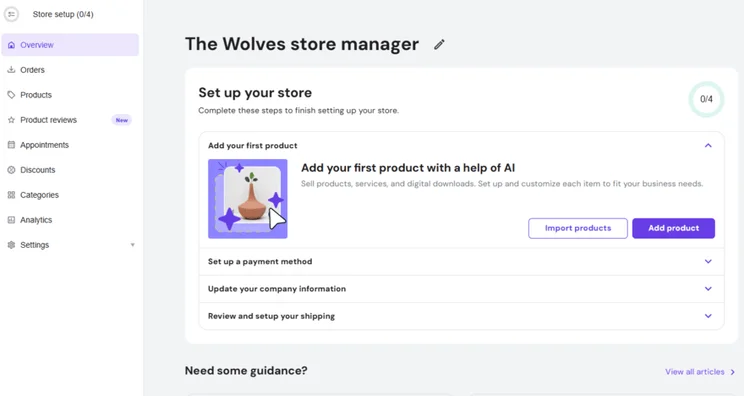
Should You Use Hostinger?
We recommend Hostinger for new sellers and stores with very small inventories, since its single ecommerce plan lacks scalability, with a 1,000 product limit compared to Shopify’s unlimited allowance.
Hostinger is an incredibly easy-to-use and affordable ecommerce platform, but it does lack the advanced functionality of other builders, especially when compared with Shopify.
Hostinger’s free trial gives you plenty of time to decide whether the platform is right for your business, but I suggest upgrading right away. Hostinger’s only ecommerce plan currently costs just $3.99 per month (for a 48-month term).
For a few dollars, you can start selling to customers and unlock all of Hostinger’s useful AI tools. Plus, Hostinger operates a 30-day money-back guarantee, so it’s not a risky move to test out a full subscription.
#3. Shopify: Free Trial, $1 Upgrade
- Price to sell online: $29 ($1 per month for first three months)
- Recommended for: Scaling your online store
- Read our full Shopify review for more information
Shopify provides the industry’s best range of sales features, but requires an upgrade to a paid plan starting at $29 per month to accept payments.
After Shopify’s three-day free trial, you can sell unlimited products, sync your store across social media channels and marketplaces, and set up marketing automations to connect with your customers.
Free Trial Limitations
You’ll need to free up your calendar ahead of using Shopify’s brief free trial to ensure you have enough time to explore its features. Unfortunately, though, the free trial has its drawbacks:
- Only lasts three days
- Your website remains private
- Can’t sell products until you upgrade
- No custom domain name
- Additional costs to consider (premium templates can cost between $100 and $500)
- Sell unlimited products
- Best range of sales features
- Multichannel selling options
- AI support with Shopify Magic and Shopify Sidekick
- Free trial window is too short to get familiar with Shopify
- Need to pay for extras, including a custom domain name
- More hands-on since Shopify relies on third-party apps
Should You Use Shopify?
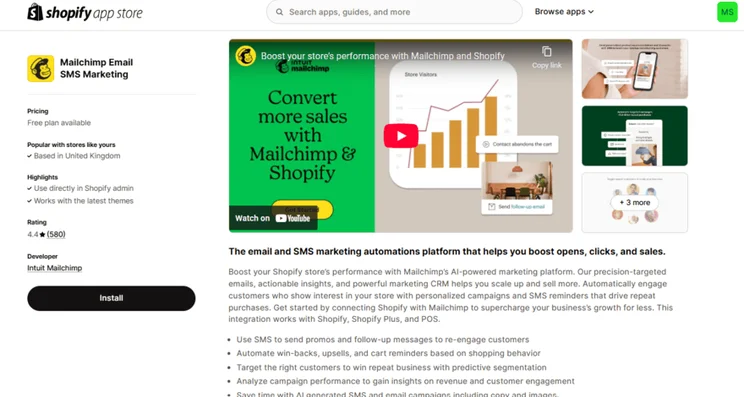
Shopify is ideal if you run a large or expanding business, since you’ll benefit the most from its built-in sales features and app store (with over 8,000 third-party integrations).
Smaller businesses won’t need all of the bells and whistles that come with Shopify, especially with its higher price point. That said, Shopify is our top-rated ecommerce website builder for a reason.
You can get a taste for Shopify’s features and how to use its editor in its free trial window, but you have to upgrade to start selling products. And, since Shopify’s free trial only lasts three days, you’ll be forced to upgrade pretty quickly.
Shopify’s pricing ranges from $29 to $299 per month for full store builders, with a $5 per month Starter plan available for social media selling. That said, if you’re committing to Shopify, I suggest going all in on a website builder plan to get the best features and support.
#4. WooCommerce: Free To Install, $6.45 Upgrade
- Price to sell online: $6.95+ (with Bluehost)
- Recommended for: WordPress sites and advanced customization
- Read our full WooCommerce review for more information
WooCommerce is a free WordPress plugin that requires paid hosting, such as Bluehost ($6.95/mo), and a custom domain to create a functional online store.
While WooCommerce is free to install, expect overheads such as hosting, obtaining security licenses, and downloading any themes or third-party integrations your store needs. For the best match when it comes to hosting, we recommend picking Bluehost, since it has WooCommerce-specific hosting plans.
Free Plan Limitations
Since WooCommerce isn’t an all-in-one deal, there are some obvious limitations:
- Pay for extras, including hosting and storage
- No security features
- Complex customization
- Best for WordPress websites
- Gives you total control over your site's design and settings
- Determine how much you want to spend
- Very technical for beginners
- WooCommerce is the only self-hosted ecommerce platform on this list, requiring users to purchase third-party hosting independently
- Lots of additional fees to consider, including security

Should You Use WooCommerce?
If you’re comfortable with coding and managing all of the extras, such as hosting and security, WooCommerce makes for a highly customizable ecommerce platform. Plus, you can add integrations to suit your business needs.
However, there are easier options to choose than WooCommerce – it’s complex and not very beginner-friendly. If you use a builder like Wix or Shopify instead, you can create an attractive and functional website without coding experience.
Stuck between Shopify and WooCommerce? Watch our comparison to make the decision easier:
Unlike the other options on this list, you aren’t locked into a fixed website builder subscription, so you can determine how much you want to spend on these essential upgrades.
WooCommerce itself is a free plugin, but operational costs include custom domain registration (typically $10-$20/year) and web hosting. To host your site, I suggest picking Bluehost, which has WooCommerce-specific plans, starting from $6.95 per month.
#5. Squarespace: Free Trial, $17.10 Upgrade
- Price to sell online: $19 ($17.10 with our discount code “WBE10”)
- Recommended for: Service-based businesses and creatives
- Read our full Squarespace ecommerce review for more information
Squarespace requires an upgrade to sell products, as its 14-day free trial is restricted to store-building and back-end setup only.
You will need to upgrade to accept payments, and there are some additional costs you may need to consider, such as Squarespace’s Acuity Scheduling tool (from $16 per month) if you want to take bookings.
Free Trial Limitations
Squarespace’s free trial has its drawbacks, including:
- Can’t sell unless you upgrade
- Your website remains private
- Additional costs to consider (Acuity Scheduling costs an extra $16 per month)
- Sell unlimited products on any premium plan
- Easy drag-and-drop editor
- Growing suite of AI tools, including Beacon AI
- Built-in scheduling tool, Acuity Scheduling
- Online store transaction fees reduce to 0% from the Core plan
- Credit card processing rates start at 2.9% + $0.30
- Not as scalable for larger inventories
- Lots of add-ons to consider, including the option to sell digital products
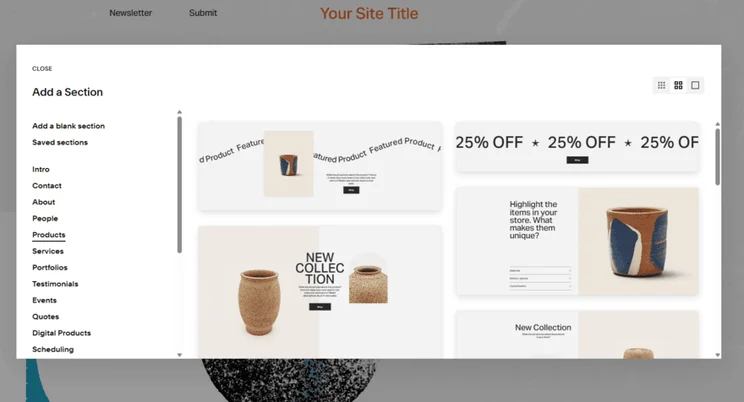
Should You Use Squarespace?
Squarespace’s beginner-friendly AI website builder, drag-and-drop editor, and customization options make it easy for anyone to build an online store, no matter your skill level.
It might not be as scalable or as advanced as other platforms, like Shopify, but Squarespace is a good option for small inventories and service-based businesses. Squarespace’s built-in scheduling tools and invoice tools make it easy for businesses to take bookings online and manage payments.
Because of Squarespace’s free trial limitations, it’s best to upgrade as soon as possible to publish your site, start selling to customers, and build brand awareness. In my experience, you should be ready to upgrade after a week with the free trial.
Squarespace recently updated its plans to make them all ecommerce-friendly, with Squarespace’s pricing now ranging from $19 to $99 per month (billed annually). That said, I suggest upgrading to at least the $29 per month Core plan to remove online transaction fees and unlock extra sales tools, such as discounts.
#6. Wix: Free To Build, $26.10 Upgrade
- Price to sell online: $29 ($26.10 with the discount code “TAKE10”)
- Recommended for: Businesses looking to build a brand
- Read our full Wix ecommerce review for more information
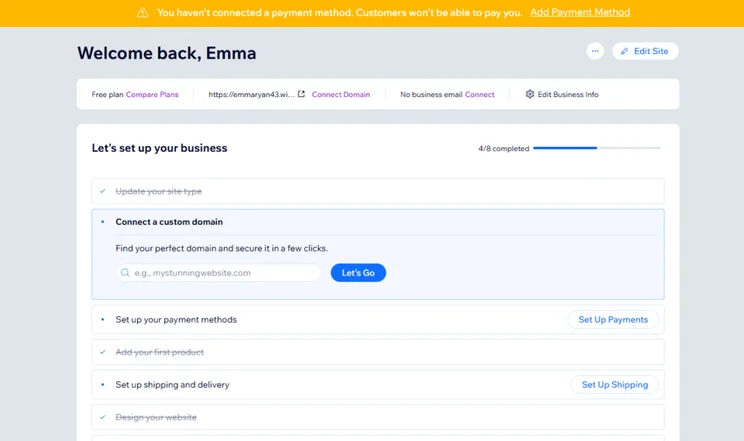
Wix does not support online sales or payments on its free plan, so you must upgrade to a premium plan (from $29 per month) to accept orders.
However, Wix allows you free indefinite use of its AI website builder to create your online store and get familiar with the platform. Then, when you’re ready to sell to customers, you can subscribe to a Wix plan.
- Sell up to 50,000 products from the Core plan
- Easy drag-and-drop editor to design your online store
- Over 2,000 free website templates
- Custom domain included in premium plans
- You have to keep upgrading plans to unlock better sales tools, like the ability to sell in different currencies
- Limited storage space on cheaper plans
- Wix can experience slow loading times, which can have a negative impact on conversions and visibility
Should You Use Wix?
Wix is one of the best website builders with ecommerce out there, particularly for online stores. It has a solid range of sales features, and Wix’s customization options (including a user-friendly drag-and-drop editor and over 2,000 free templates) make it easy for beginners and experienced users to get up and running in under an hour.
Personally, it’s one of the more intuitive platforms I’ve tested, and its built-in marketing tools help you boost brand visibility and engage with your target audience. Plus, Wix provides a ton of helpful resources, such as its SEO Learning Hub, to help businesses thrive.
Free Plan Limitations
Wix’s free plan isn’t recommended for active selling because it doesn’t support online payments, and it includes mandatory Wix branding. These are the main limitations of the free plan:
- Can’t sell unless you upgrade
- Ads on your website
- No custom domain name
- Limited storage
I recommend upgrading as soon as possible to remove ads, increase your storage allowance, and unlock Wix’s ecommerce functionality. You really won’t need more than a week or so with Wix’s free plan to get to grips with the platform and features.
To sell online, Wix’s pricing ranges from $29 to $159 per month (billed annually), but the Core plan ($29 per month) is a good starting point for small businesses.
What Are the Hidden Costs of Using a Free Ecommerce Platform?
While you can often get started for free with an ecommerce platform, whether that’s a free plan or free trial, you’ll realistically need to upgrade to a premium plan as your business grows.
A free ecommerce platform rarely means zero cost – even Square Online’s free ecommerce plan isn’t totally “free”. There are plenty of hidden or additional fees to consider, such as:
- Transaction fees – for example, Square Online’s free plan includes a 3.3% + $0.30 fee per transaction
- Domain names – a .com domain name can range from $10-$20 per year (though most free plans won’t let you connect a custom domain name)
- Website hosting – hosting will be included with your website builder package
- Security and privacy – SSL certificates, malware protection, and privacy protection can cost extra
- Templates – choose from free template options or pay for a premium template (Shopify’s templates range from $100 to $500)
- Premium plan upgrades – of our top-rated options, the cheapest upgrade is $3.99 per month (for a 48-month term)
- Third-party apps and integrations – most popular third-party apps have an additional subscription fee
Square Online’s free plan carries higher processing fees (3.3% + $0.30) than other builders such as Shopify (2.9% + $0.30), although the 0.4% per-transaction premium is more cost-effective for low-volume or casual sellers than a fixed $29 monthly subscription fee.
What’s the Difference Between Hosted Free Plans and Self-Hosted “Free” Software?
Of the six ecommerce platforms discussed, WooCommerce is the only one to provide a self-hosted option. Square Online, Hostinger, Shopify, Squarespace, and Wix include hosting with their bundled packages, along with security, sales tools, and user-friendly customization options.
This means you generally don’t need to pay for these separately, since they’re included in your plan.
In comparison to these all-in-one hosted builders, you need to sort out hosting yourself with WooCommerce. If you choose to use Bluehost as a hosting provider, this can cost $6.95 per month.
Self-hosted plans aren’t ideal for beginners or anyone looking to keep their website costs close to $0. WooCommerce requires a larger budget, more hands-on maintenance, and technical knowledge.
How Do I Choose the Best Free Ecommerce Platform for My Business?
There are a few important factors to consider when picking a free ecommerce platform:
- Can I sell for free?
- Do the platform’s limitations outweigh its benefits?
- Is it suited to the products I want to sell?
That said, a free ecommerce plan isn’t suitable for long-term growth or profit. All of the builders on this list, besides Square Online, don’t even let you sell until you’ve upgraded your plan. And, if you’re committed to selling with a free plan, you’ll end up frustrated by its limitations.
For this reason, I recommend finding the right platform for your business and upgrading to a paid plan as soon as possible. Selling for free is a great tagline, but I wouldn’t advise it.
How Do I Switch From a Free Plan to a Paid One?
When you’re ready to upgrade, simply click the “Upgrade,” “Pricing,” or “Subscription” option in your website builder’s account. Most builders will signpost this clearly because they want you to upgrade your plan.
You’ll be presented with premium plan options. Choose the one you want, select a billing cycle, go to the checkout page, and enter your payment details.
Upgrading to a premium plan will provide your business with a lot of benefits, including:
✔️ No ads on your online store
✔️ Better sales tools
✔️ The capacity to sell more products
✔️ 24/7 support
✔️ More payment methods to accept
How We Test Free Ecommerce Website Builders
We’ve spent over 300 hours testing, analyzing, and building websites ourselves with the best ecommerce platforms to help you find the right fit for your business. Our research process identified seven key areas of investigation, each with a unique weighting:
- Sales Features: 30%
- Pricing: 20%
- Website Functionality: 15%
- Design Features: 10%
- Help and Support: 10%
- User Experience: 10%
- Reputation: 5%
These categories help us determine our overall scores. However, I’ve ordered this list based on price (an area of importance for businesses on a budget) to help you find the best free – or, almost free – platforms to sell with.
Final Thoughts: Can You Really Sell Online for Free?
While free plans make perfect sense for money-conscious business owners, they do have their limitations. And truly free ecommerce plans are rare.
Square Online is the only builder on this list that lets you sell for free. However, you’ll be cut off from a lot of essential features, your site will display ads, and you’ll need to pay processing fees.
Most platforms will make you spend some money to sell products and accept payments. For this reason, we recommend using a builder’s free plan or trial as a testing period to see if it’s the right fit for your business. Once you’ve decided, upgrade your plan to gain access to better sales tools and support for your business.
Best Free Ecommerce Platforms: FAQs
Based on our research, Square Online is the best value for money thanks to its free plan which lets you sell products. All other platforms require you to pay a subscription (following a free trial or plan) to unlock ecommerce functionality. If you’re happy to pay for a premium plan, Hostinger is your next best option if you’re on a budget, costing just $3.99 per month.
Most major ecommerce website builders are pretty reliable and perform well since they’re serving millions of customers worldwide. Our research team carried out market research and determined that Shopify has the best reputation, shortly followed by Wix and Squarespace. This is based on search volume, third-party reviews, online comments, and market analysis.
Hostinger is the best ecommerce website builder for beginners. Its AI tools, intuitive interface, and drag-and-drop editor are really simple to understand. From my testing, I could get a basic online store live within a day, complete with product listings and email marketing automations.


1 reply
1 reply
1 reply
1 reply
1 reply
1 reply
1 reply
2 replies
1 reply